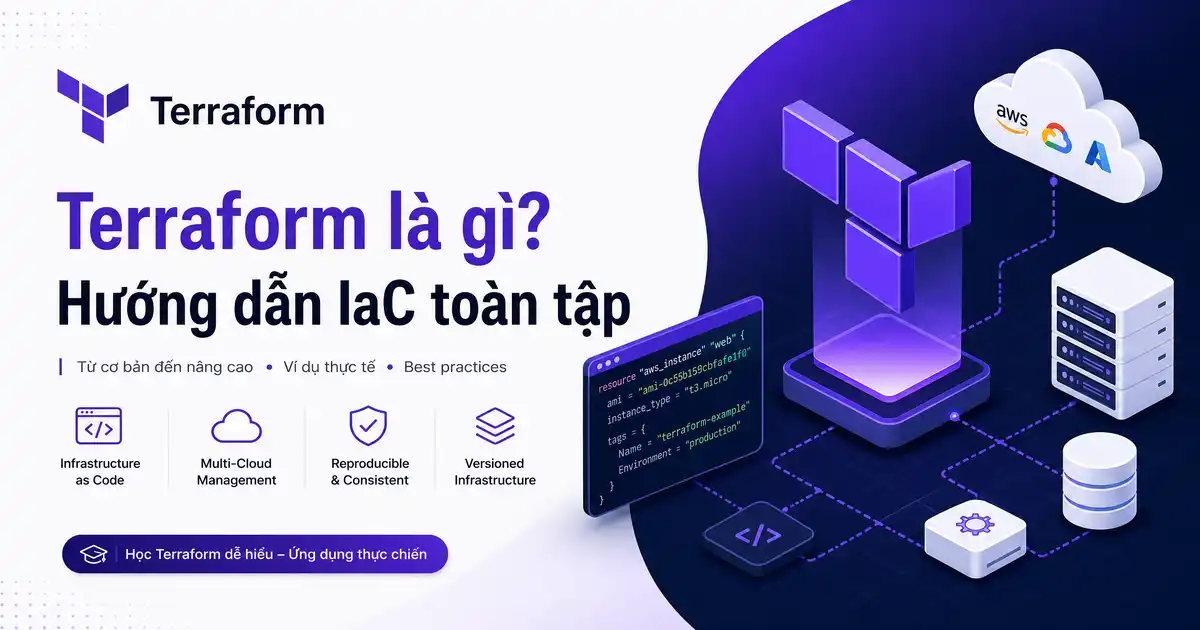
Trong kỷ nguyên điện toán đám mây, việc quản trị máy chủ thủ công đang trở thành rào cản lớn kìm hãm tốc độ phát triển của doanh nghiệp số. Nếu từng bấm chuột hàng trăm lần trên bảng điều khiển AWS, GCP hay Azure chỉ để tạo cụm máy chủ, bạn sẽ hiểu rõ cảm giác mệt mỏi và rủi ro sai sót khi có sự cố xảy ra. Đó là lý do vì sao câu hỏi Terraform là gì trở thành chủ đề được săn đón hàng đầu trong giới kỹ sư hạ tầng.
Thực tế thì Terraform là gì là ngọn cờ đầu khởi xướng cho cuộc cách mạng Infrastructure as Code (IaC). Bằng cách chuyển hóa kiến trúc mạng, máy chủ ảo và dịch vụ lưu trữ thành các dòng mã nguồn quản lý bằng Git, Terraform là gì giúp đội ngũ kỹ thuật tự động hóa thiết lập hạ tầng chuẩn xác. Trong cẩm nang chuyên sâu này, Cypher sẽ cùng bạn khám phá chi tiết Terraform là gì, cơ chế cấu hình Terraform, vai trò sống còn của Terraform state, và những lệnh Terraform thực chiến cần nắm vững.
Terraform là gì và bước chuyển mình sang Infrastructure as Code
Để định nghĩa chính xác Terraform là gì, chúng ta cần tìm hiểu nguồn gốc của dự án này do HashiCorp giới thiệu lần đầu vào năm 2014 bởi Mitchell Hashimoto. Về bản chất, Terraform là gì là một công cụ phần mềm mã nguồn mở cho phép người dùng định nghĩa, cấp phát và quản lý toàn bộ vòng đời của hạ tầng máy chủ bằng ngôn ngữ khai báo cấp cao (Declarative Language). Thay vì phải tự tay thao tác ClickOps trên từng giao diện quản trị đám mây, Terraform là gì biến hạ tầng máy chủ thành các tệp văn bản có thể phiên bản hóa và chia sẻ dễ dàng.
Theo khái niệm Infrastructure as Code trên Wikipedia, phương pháp Infrastructure as Code giải quyết triệt để hai vấn đề nan giải nhất của quản trị hệ thống: hiện tượng lệch pha cấu hình (Configuration Drift) và lỗi do thao tác thủ công của con người. Khi hiểu rõ Terraform là gì, bạn chỉ cần mô tả trạng thái mong muốn cuối cùng của hệ thống (Desired State), ví dụ như tôi cần một máy chủ Ubuntu 22.04 gắn IP tĩnh và mở cổng 443. Tiện ích Terraform là gì sẽ tự động tính toán những bước cần thiết để đưa hạ tầng thực tế về đúng trạng thái bạn đã yêu cầu.
Điểm sáng nổi bật khác của Terraform là gì là tính độc lập với nhà cung cấp (Cloud-agnostic). Nếu các công cụ như AWS CloudFormation chỉ hoạt động trên hệ sinh thái Amazon, hay Azure Resource Manager chỉ giới hạn trong Microsoft, thì Terraform là gì có thể quản lý đồng thời hàng trăm nền tảng đám mây khác nhau. Bạn có thể sử dụng cùng một cú pháp cấu hình Terraform để vừa dựng máy chủ trên AWS, vừa cấu hình DNS trên Cloudflare và tạo kho lưu trữ Kubernetes theo chuẩn của tổ chức điện toán đám mây Cloud Native Computing Foundation CNCF một cách mượt mà.
Kiến trúc kỹ thuật và cơ chế hoạt động của Terraform Engine
Để làm chủ hoàn toàn công nghệ, bạn cần thấu hiểu kiến trúc bên dưới của Terraform là gì. Kiến trúc của Terraform được thiết kế vô cùng tinh gọn và module hóa, chia tách thành hai tầng thành phần độc lập: Terraform Core và Terraform Plugins (hay còn gọi là Providers).
Thành phần thứ nhất trong cấu trúc Terraform là gì là Terraform Core. Đây là phần mềm nhị phân được biên dịch bằng ngôn ngữ Go, đóng vai trò như bộ não điều phối trung tâm. Terraform Core chịu trách nhiệm đọc và phân tích cú pháp các tệp cấu hình Terraform, so sánh trạng thái mong muốn với dữ liệu Terraform state hiện tại, sau đó xây dựng một đồ thị phụ thuộc (Resource Dependency Graph). Nhờ đồ thị này, Terraform là gì có thể tính toán chính xác tài nguyên nào cần được tạo trước, tài nguyên nào có thể tạo song song để tối ưu hóa thời gian thực thi.
Thành phần thứ hai của Terraform là gì là hệ thống Plugins (Providers). Theo tài liệu hướng dẫn kỹ thuật chính thức của Terraform, Provider là các trình điều khiển độc lập giúp Terraform Core giao tiếp với các nhà cung cấp dịch vụ bên ngoài thông qua REST API. Mỗi dịch vụ đám mây từ AWS, Google Cloud, DigitalOcean cho đến Proxmox đều có một Provider riêng. Sự tách biệt này giúp Terraform là gì có khả năng mở rộng không giới hạn mà không cần phải can thiệp sửa đổi mã nguồn phần lõi.
| Thành phần kiến trúc | Nhiệm vụ chính trong hệ thống | Giao thức kết nối |
|---|---|---|
| Terraform Core | Phân tích cú pháp HCL, tính toán đồ thị phụ thuộc, lập plan | Nội bộ phần mềm |
| Terraform Provider | Chuyển đổi yêu cầu thành các lời gọi API tương ứng của Cloud | gRPC / REST API |
| Terraform State | Lưu trữ bản đồ ánh xạ tài nguyên thực tế với mã nguồn khai báo | JSON Format |
| Remote Backend | Lưu trữ tệp State tập trung có khóa đồng thời (State Locking) | HTTPS / S3 / GCS |
Terraform giống như một vị tổng công trình sư: Terraform Core lập bản vẽ tiến độ xây dựng, còn các Provider là đội thợ chuyên nghiệp làm việc trực tiếp với từng nhà cung cấp vật liệu.
Về mặt ngôn ngữ lập trình, Terraform là gì sử dụng ngôn ngữ cấu hình độc quyền HashiCorp Configuration Language (HCL). Ngôn ngữ HCL được thiết kế để vừa dễ đọc cho con người như định dạng YAML nhưng lại sở hữu cấu trúc dữ liệu chặt chẽ và khả năng biểu đạt logic mạnh mẽ như JSON, cho phép viết các biểu thức điều kiện, vòng lặp và nội suy biến số linh hoạt.
Terraform State: Trái tim và bộ nhớ của hạ tầng máy chủ
Nếu hỏi đâu là thành phần nhạy cảm và quan trọng nhất trong hệ thống Terraform là gì, câu trả lời chắc chắn là Terraform state. Tệp trạng thái này (mặc định mang tên terraform.tfstate) lưu trữ toàn bộ bản đồ ánh xạ chi tiết giữa những gì bạn khai báo trong mã nguồn với các tài nguyên vật lý thực tế đang chạy trên đám mây.
Lý do Terraform state đóng vai trò sống còn trong Terraform là gì là vì các API đám mây không thể tự ghi nhớ mối quan hệ logic giữa các tài nguyên do bạn tạo ra. Khi bạn khai báo một máy chủ và một ổ cứng gắn ngoài, chính tệp Terraform state sẽ ghi nhớ chính xác ID máy ảo và ID khối ổ đĩa tương ứng. Nhờ có dữ liệu Terraform state này, trong lần chạy kế tiếp, Terraform là gì mới biết tài nguyên nào đã tồn tại để tránh việc tạo trùng lặp gây lãng phí chi phí.
Mặc định khi bạn mới làm quen với Terraform là gì, tệp trạng thái này sẽ được lưu cục bộ trên máy tính cá nhân (Local State). Tuy nhiên, khi làm việc trong môi trường nhóm chuyên nghiệp, việc để state cục bộ là một sai lầm chết người. Hai kỹ sư có thể vô tình chạy lệnh cùng lúc dẫn đến xung đột ghi đè dữ liệu hoặc làm mất đồng bộ hạ tầng. Hơn nữa, tệp Terraform state có thể chứa các thông tin nhạy cảm như mật khẩu hay khóa truy cập dưới dạng văn bản rõ ràng.
Giải pháp chuẩn mực cho Terraform là gì là thiết lập Remote Backend (như AWS S3, Google Cloud Storage kết hợp DynamoDB để khóa trạng thái – State Locking). Khi một kỹ sư thực hiện thay đổi, Terraform state sẽ lập tức bị khóa lại, ngăn chặn mọi thao tác đồng thời từ các thành viên khác cho đến khi tiến trình hoàn tất an toàn.
# Cấu hình Remote Backend lưu trữ Terraform State trên AWS S3 an toàn
terraform {
  backend "s3" {
    bucket         = "my-company-terraform-states"
    key            = "production/infrastructure.tfstate"
    region         = "ap-southeast-1"
    dynamodb_table = "terraform-state-locks"
    encrypt        = true
  }
}
Việc bảo vệ và kiểm soát chặt chẽ Terraform state là điều kiện bắt buộc giúp hệ thống Terraform là gì vận hành bền bỉ qua nhiều năm mà không xảy ra bất kỳ sự cố mất mát thông tin quản trị nào.
Quy trình làm việc (Workflow) cốt lõi của Terraform: Write, Plan, Apply
Quy trình vận hành tiêu chuẩn của Terraform là gì được chuẩn hóa qua chu trình 3 bước kinh điển: Write (Soạn thảo), Plan (Lập kế hoạch) và Apply (Thực thi). Vòng lặp làm việc này tạo ra một rào chắn kiểm duyệt an toàn tuyệt đối trước khi bất kỳ thay đổi nào được áp dụng lên môi trường thực tế.
1. Bước 1: Soạn thảo cấu hình (Write)
Trong bước đầu tiên khi làm việc với Terraform là gì, kỹ sư sẽ viết các đoạn mã khai báo hạ tầng bằng ngôn ngữ HCL trong các tệp có phần mở rộng .tf. Bạn sẽ định nghĩa các khối nhà cung cấp (provider), khối tài nguyên cần tạo (resource), các tham số đầu vào (variable) và các giá trị mong muốn nhận về sau khi triển khai (output).
2. Bước 2: Xem trước kế hoạch thay đổi (Plan)
Sau khi viết xong cấu hình Terraform, bạn chạy câu lệnh thần thánh terraform plan. Lúc này, tiện ích Terraform là gì sẽ đọc toàn bộ mã nguồn, tải dữ liệu Terraform state mới nhất, so sánh với hạ tầng thực tế và hiển thị một bản báo cáo chi tiết về những gì sắp sửa diễn ra. Bạn sẽ thấy rõ tài nguyên nào sẽ được tạo mới (dấu + xanh lá), tài nguyên nào bị sửa đổi (dấu ~ vàng), và đặc biệt tài nguyên nào sẽ bị xóa bỏ rồi tạo lại (dấu -/+ đỏ). Bước này giúp bạn loại bỏ 100% các rủi ro xóa nhầm máy chủ sản xuất.
3. Bước 3: Triển khai hạ tầng thực tế (Apply)
Khi đã xem xét kỹ lưỡng bản kế hoạch và tự tin mọi thứ đã chuẩn xác, bạn tiến hành gõ lệnh terraform apply. Hệ thống Terraform là gì sẽ yêu cầu bạn xác nhận một lần nữa bằng cách gõ yes. Sau khi nhận được sự đồng thuận, Terraform Engine sẽ bắt đầu gọi hàng loạt API đến nhà cung cấp đám mây để khởi tạo máy chủ, thiết lập mạng theo đúng thứ tự logic đã được tính toán từ trước.
Quy trình Write – Plan – Apply của Terraform biến việc triển khai cả một trung tâm dữ liệu phức tạp thành một thao tác duyệt code an toàn tương tự như quy trình Pull Request trong phát triển phần mềm.
Khi dự án kết thúc hoặc bạn muốn dọn dẹp môi trường thử nghiệm, lệnh Terraform mang tên terraform destroy sẽ tự động truy vết ngược lại đồ thị phụ thuộc và xóa sạch toàn bộ các tài nguyên liên quan, giúp bạn không bao giờ phải chịu những hóa đơn tiền điện toán oan uổng.
Hướng dẫn cài đặt và khởi tạo dự án Terraform đầu tiên
Để bắt đầu thực hành và hiểu sâu hơn Terraform là gì, chúng ta sẽ cùng nhau tiến hành cài đặt tiện ích trên máy chủ Linux và khởi tạo một dự án mẫu thực tế. Các thao tác đều được thực hiện qua dòng lệnh vô cùng trực quan.
Cài đặt Terraform trên hệ điều hành Ubuntu hoặc Debian
HashiCorp cung cấp kho lưu trữ APT chính thức giúp bạn cài đặt và cập nhật Terraform là gì một cách chuẩn mực và an toàn nhất trên các bản phân phối Linux.
# Cài đặt các gói phụ trợ cần thiết
sudo apt-get update && sudo apt-get install -y gnupg software-properties-common curl

# Nhập khóa xác thực GPG chính thức của HashiCorp
curl -fsSL https://apt.releases.hashicorp.com/gpg | sudo gpg --dearmor -o /usr/share/keyrings/hashicorp-archive-keyring.gpg

# Thêm kho lưu trữ HashiCorp vào danh mục APT
echo "deb [signed-by=/usr/share/keyrings/hashicorp-archive-keyring.gpg] https://apt.releases.hashicorp.com $(lsb_release -cs) main" | sudo tee /etc/apt/sources.list.d/hashicorp.list

# Cập nhật danh sách gói và tiến hành cài đặt
sudo apt-get update && sudo apt-get install -y terraform

# Kiểm tra phiên bản Terraform đã cài đặt thành công
terraform -version
Khởi tạo tệp cấu hình Terraform đầu tiên
Sau khi hoàn tất cài đặt, hãy tạo một thư mục dự án mới mang tên terraform-demo và tạo tệp cấu hình chính main.tf:
# Tạo thư mục dự án và tệp cấu hình mẫu
mkdir ~/terraform-demo && cd ~/terraform-demo
cat << 'EOF' > main.tf
terraform {
  required_version = ">= 1.5.0"
  required_providers {
    local = {
      source  = "hashicorp/local"
      version = "~> 2.4"
    }
  }
}

# Khai báo một tài nguyên tệp tin cục bộ đơn giản
resource "local_file" "welcome_note" {
  filename = "${path.module}/welcome.txt"
  content  = "Chao mung ban den voi the gioi Infrastructure as Code cung Terraform va Cypher!\n"
}

output "file_created_path" {
  value       = local_file.welcome_note.filename
  description = "Duong dan den tep tin vua duoc khoi tao"
}
EOF
Bây giờ, bạn thực hiện lệnh Terraform khởi tạo dự án đầu tiên:
# Tải Provider và khởi tạo không gian làm việc
terraform init
Lệnh terraform init sẽ quét tệp cấu hình Terraform, tải plugin hashicorp/local về thư mục ẩn .terraform và tạo tệp khóa phụ thuộc .terraform.lock.hcl. Tiếp theo, bạn chạy terraform plan để xem kế hoạch và chạy terraform apply để xuất bản tệp tin chào mừng đầu tiên. Bạn cũng có thể tích hợp quy trình này với hướng dẫn quản trị máy chủ Proxmox VE để tự động khởi tạo máy ảo KVM qua Terraform Proxmox Provider.
So sánh chuyên sâu: Terraform vs Ansible và sự xuất hiện của OpenTofu
Một chủ đề gây nhiều tranh luận sôi nổi khi tìm hiểu Terraform là gì là mối quan hệ giữa Terraform và Ansible. Nhiều người thường lầm tưởng hai công cụ này loại trừ nhau, nhưng trong thực tế kiến trúc DevOps, chúng là hai mảnh ghép bổ trợ hoàn hảo cho nhau.
Sự khác biệt cốt lõi nằm ở phân loại mục đích sử dụng. Terraform là gì thuộc nhóm công cụ cấp phát hạ tầng (Infrastructure Provisioning Tools). Thế mạnh số một của Terraform là tạo ra máy chủ ảo, cấu hình dải mạng VPC, phân quyền IAM và tạo ổ cứng lưu trữ. Trong khi đó, Ansible là công cụ quản lý cấu hình (Configuration Management Tools). Khi máy chủ đã được Terraform là gì bật lên, Ansible sẽ nhảy vào bên trong hệ điều hành để cài đặt Nginx, cập nhật gói bảo mật và cấu hình ứng dụng.
| Tiêu chí phân định | Công cụ Terraform | Công cụ Ansible |
|---|---|---|
| Phân loại công cụ | Cung cấp hạ tầng (Infrastructure Provisioning) | Quản lý cấu hình (Configuration Management) |
| Mô hình tiếp cận | Khai báo (Declarative: nói trạng thái cần) | Mệnh lệnh kết hợp (Procedural & Declarative) |
| Quản lý trạng thái | Sử dụng tệp State lưu vết tài nguyên chặt chẽ | Không có State (Stateless, kiểm tra trực tiếp) |
| Mục tiêu hoạt động | Tầng bên ngoài (Cloud API, mạng, phần cứng) | Tầng bên trong máy chủ (Cài gói, sửa file config) |
Một sự kiện chấn động vào tháng 8 năm 2023 là việc HashiCorp quyết định chuyển đổi giấy phép của Terraform từ mã nguồn mở MPL v2 sang giấy phép kinh doanh BSL (Business Source License). Động thái này đã thúc đẩy cộng đồng công nghệ thành lập nên dự án mã nguồn mở OpenTofu thuộc Linux Foundation. OpenTofu là bản rẽ nhánh (fork) hoàn toàn miễn phí, duy trì mã nguồn mở vĩnh viễn và tương thích 100% với toàn bộ cú pháp cấu hình Terraform hiện tại.
Để hiểu rõ hơn về các bước đóng gói ứng dụng sau khi đã có hạ tầng máy chủ vững chắc từ Terraform, bạn hãy tham khảo thêm bài viết tìm hiểu nền tảng Docker toàn diện để xây dựng bức tranh kiến trúc hiện đại.
Các câu lệnh Terraform thiết yếu và xử lý sự cố thường gặp (Troubleshooting)
Trong quá trình làm việc thực chiến hàng ngày, bạn sẽ liên tục tương tác với một tập hợp các lệnh Terraform cốt lõi. Bảng tổng hợp dưới đây sẽ giúp bạn tra cứu nhanh chóng các lệnh quan trọng nhất.
| Cú pháp lệnh Terraform | Mục đích sử dụng chính | Lưu ý an toàn thực tế |
|---|---|---|
terraform init | Khởi tạo thư mục dự án, tải các Provider | Chạy lại khi thêm provider hoặc đổi backend |
terraform fmt | Tự động định dạng lại mã HCL theo chuẩn | Nên chạy trước khi commit code lên Git |
terraform validate | Kiểm tra tính hợp lệ về mặt cú pháp của code | Không cần kết nối mạng tới nhà cung cấp Cloud |
terraform plan | Mô phỏng và hiển thị danh sách các thay đổi | Luôn kiểm tra kỹ số lượng tài nguyên bị xóa (-) |
terraform apply | Thực thi các thay đổi hạ tầng vào thực tế | Có thể dùng -auto-approve trong pipeline CI/CD |
terraform destroy | Hủy bỏ toàn bộ tài nguyên do tệp state quản lý | Cực kỳ nguy hiểm, không dùng trên Production |
terraform refresh | Cập nhật lại tệp State khớp với thực tế Cloud | Giúp phát hiện hiện tượng State Drift |
terraform state list | Liệt kê toàn bộ các tài nguyên đang được theo dõi | Dùng để kiểm tra nhanh danh mục tài nguyên |
Khi vận hành thực tế, một sự cố rất phổ biến của Terraform là gì là lỗi State Lock (thường gặp thông báo Error acquiring the state lock). Lỗi này xảy ra khi một câu lệnh apply trước đó bị hủy đột ngột khiến DynamoDB hoặc Backend chưa kịp mở khóa. Để giải quyết, bạn có thể sử dụng lệnh terraform force-unlock <LOCK_ID> sau khi đã xác nhận chắc chắn không có thành viên nào khác đang chạy tiến trình thay đổi.
Một tình huống khác là khi bạn có sẵn một hạ tầng máy chủ được tạo thủ công từ trước và muốn đưa vào quyền quản trị của Terraform là gì. Thay vì phải xóa đi tạo lại, bạn có thể tận dụng lệnh terraform import để nhập các tài nguyên có sẵn này vào dữ liệu Terraform state một cách an toàn mà không làm gián đoạn dịch vụ đang chạy.
Kinh nghiệm thực chiến của Cypher: Best practices quản trị IaC cấp doanh nghiệp
Thú thật là trong suốt nhiều năm làm việc với các hệ thống hạ tầng phân tán quy mô lớn, mình đã chứng kiến không ít dự án gặp thảm họa khi triển khai Terraform là gì chỉ vì thiếu các nguyên tắc quản trị căn bản ngay từ đầu. Dưới đây là những kinh nghiệm xương máu mà Cypher đúc kết giúp bạn vận hành hệ thống IaC chuyên nghiệp và an toàn nhất.
Thứ nhất, hãy chia nhỏ hạ tầng thành các Module độc lập. Đừng bao giờ nhồi nhét toàn bộ mạng VPC, cơ sở dữ liệu, máy chủ ứng dụng và DNS vào chung một tệp main.tf duy nhất. Khi tệp Terraform state quá lớn, thời gian chạy plan sẽ kéo dài hàng chục phút và rủi ro ảnh hưởng dây chuyền khi có sự cố là cực kỳ cao. Hãy module hóa theo từng tầng: Network Module, Database Module và Compute Module.
Thứ hai, tuyệt đối không bao giờ hardcode các khóa bí mật như AWS Access Key hay Database Password vào tệp cấu hình Terraform. Mọi thông tin nhạy cảm phải được truyền qua biến môi trường (Environment Variables) hoặc tích hợp với các hệ thống quản lý khóa tập trung như HashiCorp Vault hoặc AWS Secrets Manager.
Thứ ba, hãy tích hợp việc thực thi Terraform vào xây dựng quy trình CI/CD Pipeline tự động hóa và áp dụng mô hình vận hành GitOps cho đội ngũ DevOps. Mọi thay đổi hạ tầng phải được thông qua quy trình Pull Request, có sự xét duyệt (Code Review) của đồng nghiệp và chạy các công cụ quét bảo mật tĩnh như tfsec hoặc checkov trước khi lệnh apply được phép kích hoạt.
Hạ tầng định nghĩa bằng code cũng chính là phần mềm. Hãy đối xử với các tệp cấu hình Terraform của bạn với cùng sự cẩn trọng, kỷ luật và quy chuẩn kiểm thử khắt khe như bất kỳ dòng mã nguồn ứng dụng quan trọng nào.
Hy vọng qua cẩm nang toàn diện này, bạn đã nắm trọn vẹn bản chất Terraform là gì, tự tin áp dụng tư duy Infrastructure as Code vào công việc hàng ngày và từng bước nâng tầm năng lực tự động hóa hạ tầng máy chủ của doanh nghiệp lên một tầm cao mới.



![So Sánh Webhook và API Chi Tiết: Webhook Là Gì? [2026]](https://vnhte.com/wp-content/uploads/2026/06/webhook_vs_api_banner_final-660x347.webp "So Sánh Webhook và API Chi Tiết: Webhook Là Gì? [2026] 13")
![Theo Dõi Thay Đổi File Trên Linux Với inotifywait [2026]](https://vnhte.com/wp-content/uploads/2026/06/Theo-Doi-Thay-Doi-File-Tren-Linux-Real-Time-Voi-inotifywait-660x347.webp "Theo Dõi Thay Đổi File Trên Linux Với inotifywait [2026] 14")