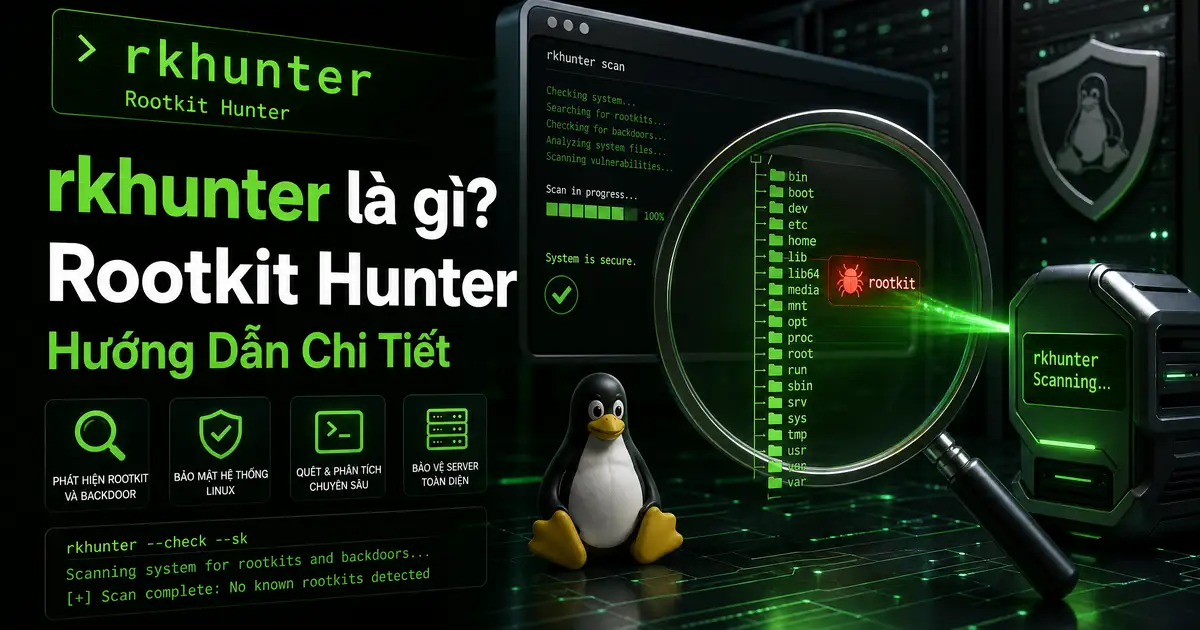
rkhunter là gì? Rootkit Hunter Hướng Dẫn Chi Tiết
rkhunter (Rootkit Hunter) là công cụ open-source chuyên dùng để scan rootkits, backdoors, và local exploits trên Linux/Unix systems. Khi tìm hiểu rkhunter là gì, được viết bằng shell script bởi Michael Boelen (người sáng lập OSSEC), rkhunter thực hiện nhiều kiểm tra toàn diện để phát hiện suspicious indicators trên hệ thống của bạn. Công cụ này đã trở thành một standard trong nhiều Linux distributions và các Unix-like systems khác nhau và được recommend rộng rãi bởi các security guidelines và best practices trên toàn thế giới.
Khác với chkrootkit (chỉ check binaries bằng signature), rkhunter kiểm tra toàn diện hơn: system configuration, file permissions, network connections, running processes, và kernel modules. Khi tìm hiểu rkhunter là gì, nó cũng sử dụng file integrity checking qua MD5/SHA hashes để detect thay đổi trong system files, giúp phát hiện even sophisticated threats mà signature-based tools có thể miss. Đây là lý do nhiều sysadmins chạy cả hai tools song song.
rkhunter được sử dụng rộng rãi trong các environment từ small VPS đến large enterprise servers. Khi tìm hiểu rkhunter là gì, công cụ này đặc biệt hữu ích cho compliance audits và regular security assessments, nơi cần documented evidence của security scanning activities.
rkhunter vs chkrootkit
| Feature | rkhunter | chkrootkit |
|---|---|---|
| Detection method | MD5/SHA hashes + heuristics | Signature-based |
| Scope | System config + files | Binaries only |
| Update mechanism | Built-in updater | Manual download |
| False positive handling | Whitelist database | Manual exclude |
| File integrity | Có (hash checking) | Không |
Khuyến nghị: Sử dụng cả hai công cụ.Khi tìm hiểu rkhunter là gì, chkrootkit cho quick binary check, rkhunter cho comprehensive scan.Bạn có thể tìm hiểu thêm về chkrootkit để so sánh chi tiết.
Cài đặt rkhunter
rkhunter là gì
# Cập nhật package lists
sudo apt update

# Cài đặt rkhunter
sudo apt install rkhunter

# Kiểm tra phiên bản
rkhunter --version
Trên CentOS/RHEL
# Cài đặt EPEL repository
sudo yum install epel-release

# Cài đặt rkhunter
sudo yum install rkhunter
Build từ Source
# Download phiên bản mới nhất
wget https://sourceforge.net/projects/rkhunter/files/rkhunter/1.4.6/rkhunter-1.4.6.tar.gz
tar -xzf rkhunter-1.4.6.tar.gz
cd rkhunter-1.4.6

# Install
sudo ./installer.sh --install

# Update database
sudo rkhunter --update
sudo rkhunter --propupd
Sử dụng rkhunter
Basic Scan
# Scan đầy đủ
sudo rkhunter --check

# Silent mode (chỉ hiện warnings)
sudo rkhunter --check --silent

# Scan với verbose output
sudo rkhunter --check --verbose
Scan Options
| Option | Mô tả |
|---|---|
| –check | Run scan |
| –silent | Chỉ hiện warnings |
| –verbose | Output chi tiết |
| –skip-keypress | Tự động tiếp tục (cho cron) |
| –cronjob | Chạy mode cronjob |
| –update | Update rkhunter database |
| –propupd | Update file properties baseline |
rkhunter Test Categories
| Category | Description |
|---|---|
| File properties | MD5/SHA hashes, permissions check |
| Hidden files | Hidden files và directories scan |
| Rootkit checks | Known rootkit signatures |
| Network | Promiscuous interface, suspicious ports |
| System commands | Trojaned commands detection |
| Apps | Vulnerable applications check |
| Attributes | Immutable files, ACLs |
Understanding Output
| Output | Meaning |
|---|---|
| [Warning] | Possible infection found – cần investigate |
| [Ok] | Check passed |
| [Info] | Information notice |
System checks summary:
=======================
File properties checks...
  Files checked: 2345
  Warnings: 2

Rootkit checks...
  Rootkits checked: 285
  Rootkits found: 0

Security checks...
  Warnings: 1

Scan complete
Cấu hình rkhunter
File cấu hình chính: /etc/rkhunter.conf
# Whitelist known files
WHITELIST_HOME="/opt/security/*"

# Allow SSH root login
ALLOW_SSH_ROOT_USER=YES

# Scan thresholds
MAX_FILE_SIZE=10240000
Scheduling Scans
# Edit crontab
sudo crontab -e

# Daily scan lúc 3AM
0 3 * * * /usr/bin/rkhunter --check --silent --report-warnings-only 2>&1 | logger -t rkhunter
Whitelist Management
Thêm files vào whitelist để tránh false positives.Khi tìm hiểu rkhunter là gì, đây là bước quan trọng vì nhiều legitimate tools như Docker, monitoring agents, hoặc custom scripts có thể trigger warnings.Quy trình như sau:
- Chỉnh sửa
/etc/rkhunter.confvà thêm WHITELIST entries - Chạy
sudo rkhunter --propupdsau khi whitelist để update baseline - Re-run scan để verify warnings đã được resolve
Khi nào cần lo?
Nếu rkhunter báo warning, không phải lúc nào cũng là rootkit.Khi tìm hiểu rkhunter là gì, đây là các dấu hiệu cần investigate kỹ lưỡng.Sau khi update system packages, warning về changed hashes là bình thường và không cần lo.Nhưng cần chú ý đặc biệt nếu:
- New hidden files — đặc biệt trong /tmp, /var/tmp
- Modified system files — /bin, /sbin, /usr/bin bị thay đổi hash
- Promiscuous interfaces — có interface không mong muốn ở promisc mode
- Suspicious ports — listening ports không rõ nguồn gốc
Best Practices
- Update thường xuyên:
rkhunter --updatetrước mỗi scan để đảm bảo database mới nhất - Tạo baseline sau khi setup sạch:
rkhunter --propupdđể record known-good state - Schedule regular scans: daily via cron là khuyến nghị cho production servers
- Check logs: xem /var/log/rkhunter.log sau mỗi scan để detect changes
- Dùng cùng chkrootkit: cả hai bổ trợ nhau và tăng detection coverage
- So sánh kết quả qua thời gian để phát hiện trends và anomalies
- Investigate mọi warning ngay lập tức, đừng bỏ qua
- Boot từ rescue media cho thorough scan nếu nghi ngờ kernel-level compromise
Để security posture toàn diện, kết hợp rkhunter với chkrootkit cho rootkit detection, ClamAV cho malware scanning, và Firewall cho network protection.
Kết luận
rkhunter là công cụ essential cho Linux system security, được sử dụng rộng rãi bởi system administrators trên toàn thế giới. Với comprehensive checks covering system binaries, configuration files, kernel modules, và network settings, nó giúp phát hiện threats sớm và toàn diện. Việc chạy rkhunter định kỳ kết hợp với các công cụ bảo mật khác sẽ tạo ra một lớp bảo vệ vững chắc cho server của bạn.
Security posture mạnh cần kết hợp nhiều layers: prevention (firewall, IDS, regular updates), detection (rkhunter, chkrootkit, monitoring), và incident response plan. Không nên rely vào một công cụ duy nhất. Hãy thiết lập automated scanning schedule và investigate mọi warning promptly để đảm bảo hệ thống luôn trong trạng thái an toàn nhất.
Với rkhunter được setup đúng cách và chạy định kỳ, bạn có thể yên tâm hơn về security posture của hệ thống. Kết hợp với VirusTotal cho file analysis và Maltego cho threat intelligence investigation sẽ tạo ra security workflow toàn diện.
FAQ
rkhunter có an toàn không? Có, rkhunter chỉ thực hiện read-only scans, không modify anything trên hệ thống. Tuy nhiên cần chạy với sudo để access tất cả system files. Download từ official source để tránh tampered versions.
Chạy khi nào? Tối thiểu weekly, khuyến nghị daily via cron. Nên chạy ngay sau khi cài software mới từ untrusted sources, sau khi phát hiện suspicious activity hoặc unauthorized access attempts, hoặc sau khi update system packages. Early detection là key.
False positives xử lý sao? Sau khi update system packages, một số file hashes thay đổi và rkhunter sẽ báo warning. Whitelist known-safe files trong /etc/rkhunter.conf. Chạy sudo rkhunter --propupd để update baseline sau khi xác nhận files là legitimate.
rkhunter vs chkrootkit? rkhunter comprehensive hơn: kiểm tra file integrity, system configuration, network settings, và kernel modules. chkrootkit nhẹ hơn, nhanh hơn, tập trung vào binary signatures. Khuyến nghị dùng cả hai cho best coverage – chkrootkit cho quick daily scan, rkhunter cho weekly deep analysis.
Khi nào cần lo về rkhunter warning? Không phải warning nào cũng là rootkit. Sau khi update packages, warning về changed hashes là bình thường. Nhưng cần investigate nếu: hidden files mới xuất hiện trong /tmp hoặc /var/tmp, system binaries bị thay đổi mà không có package update, hoặc có promiscuous interface không rõ origin.

Bài viết mới nhất


Ủng hộ

MB Bank: 0969089335 - CHÂU QUỐC HÙNG

MB Bank: 0969089335 - CHÂU QUỐC HÙNG

Momo: 0969089335 - CHÂU QUỐC HÙNG